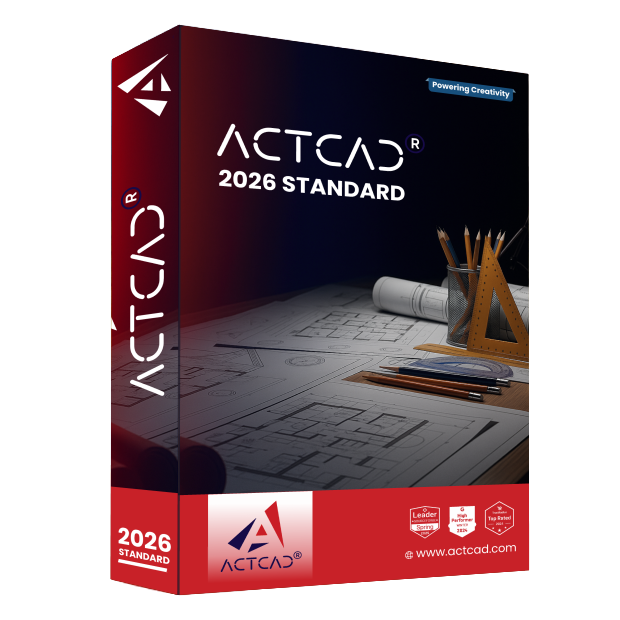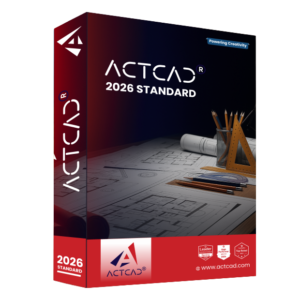


ActCAD 2026
Standard

2D Power Drafting & 3D Model Viewing Enterprise Grade CAD Software with Perpetual Licensing

What is ActCAD Standard?

ActCAD Standard empowers architects, engineers, designers across various industries:

2D Drafting

Create precise 2D geometry and models using solids, surfaces, and meshes. Access a comprehensive library of 7,000 pre-built blocks, with the flexibility to add custom blocks to suit your workflow.

3D Modeling

View and interact with ACIS 3D models. For advanced 3D modeling capabilities, engage with ACTCAD Premium.

Comprehensive File Compatibility

Seamlessly work with multiple file formats, including DWG, DXF, SHP, DGN, STP, IGS, STL, OBJ, and SVG. ActCAD also supports custom scripting and automation with LISP, DCL, SDS, Object IRX, and .NET programming languages .

Why use ActCAD Standard?

Powering your Creativity

Innovate, build, and deliver with 2D drafting focused features, shaped by your feedback and insights.

Enterprise-Ready, Budget-Friendly

Affordable pricing and novel licensing options with no compromise on power, scalability, or reliability.

Unleash Instant Productivity

Affordable pricing and novel licensing options with no compromise on power, scalability, or reliability.

With an interface very similar to AutoCAD, ActCAD Standard is a powerful drafting software powered by the latest CAD technology and offers both speed and stability. The features include:

• All Regular 2D Drafting Commands

• 3D Mesh/Wire frame Modeling

• ACIS 3D Modeling Viewer

• ACTCAD PDF Printer

• Latest IntelliCAD 14 engine

• Block Library with 7000 symbols and functionality to add your own

• Create & Edit Tables

Contact us for a Demo to explore many more such features designed to streamline your workflow!

ActCAD Standard Features​

A glimpse of ActCAD Standard’s features for accuracy and enhanced productivity.

Block Library

Block Library with 7000 daily used symbols, and with the functionality to add your own custom blocks to the library.

Modern User Interface

ActCAD Standard supports both classic syle menu interface as well as modern Ribbon style interface. User can use both styles simultaneously.

Data Extraction

Retrieve specific information or attributes from drawings and converting them into a structured format, such as tables or spreadsheets.

Angle Find

Allows users to specify precise angles for drawing and editing objects, facilitating accurate geometric constructions and transformations.

Super Hatch

Makes hatching to curved boundaries possible by traversing arc segments with a series of short straight segments.

Spline Fit & Spline CV

Ensures the spline accurately passes through specified points. Also ensures the spline passes through the control points, when required in design work.

ACTCAD PDF Printer

Enables CAD drawings to be printed in PDF format in a single click. Drawing exported in PDF also contains data like layers, views, annotations, links, sheets and more.

Project Geometry

Project geometry, cut edges, flat patterns (sheet metal parts), DWG blocks, generate wire, and project to a 2D sketch.

ACIS 3D Model Viewer

Open and view 3D Models and supports numerous file formats. For advanced 3D modeling capabilities, engage with ACTCAD Premium.

Xref Manager

Allows users to insert the entire contents of another drawing into the current drawing as a display-only object.

Quick Properties

Provide access to commonly used properties for an object or a set of objects. View and ability to modify a list of properties for the selected object.

Text Style Manager

Allows you to update your global text styles all at once rather than individually so for any type hierarchy, a single update is sufficient to update all the sub-fonts.

FAQs - ActCAD Standard​

ActCAD Standard is best suited for 2D drafting professionals and students. Ideal for users who mainly work with 2D drawings but want access to basic 3D viewing capabilities.

ActCAD Premium supports DWG & DXF files (from R2.5 to latest), plus DGN, SVG, PDF, and more. Fully compatible with industry-standard CAD formats.

Yes. Includes a Batch File Converter to convert DWG/DXF files across different versions.

No! ActCAD products comes with a lifetime licensepay once and use forever, with optional maintenance & upgrades if you choose. No mandatory subscription.

Yes. Free updates are released periodically, including bug fixes and minor enhancements.

Type “Check for Updates” command inside ActCAD command prompt and follow instructions.

Minimum System Requirement

Microsoft Windows 10/11

2GHz & Above (64-bit architecture)

4Gb (8Gb or above is highly recommended)

10GB Free Space

Open GL 2.0 & above

HD Monitor for better Graphics Display

Act now to get ActCAD Standard

Join the millions of people who use ActCAD to accelerate their creativity in drafting and design.

Fill in the form to apply as Dealer

This information is required if you've sold to your customers and/or source the supply from the supplier/provider/reseller/distributor, in order to protect relevant party interest and relationships.

The above is only your estimation based on your past experience in relevant work scope. You may refer the above target in the Agreement, if you feel the target is inappropriate or not within your capacity.